

A cloud bill can grow even when website traffic stays flat. One forgotten test server, a larger database backup, a change in data transfer, or a discount that expires may be enough to push monthly costs above budget. The difficult part is not finding a list of cost-saving tips. It is knowing which charge changed, who owns it, whether it is necessary, and what can safely be changed next.
This guide treats cloud cost optimization as an investigation and decision process—not simply a campaign to make every server smaller. You will learn how to trace a billing increase, calculate realistic savings, compare provider tools, and set up a repeatable cloud cost management process.
Quick answer: Start with a like-for-like bill comparison, isolate the biggest cost change by service and resource, verify actual usage, check contractual commitments, and test a reversible change. Track savings only after the new bill confirms them. Never disable backups, monitoring, or redundancy simply to make a dashboard show lower spending.
What Is Cloud Cost Optimization?
Cloud cost optimization means improving the value obtained from cloud spending. It combines reducing waste, choosing suitable pricing arrangements, forecasting demand, protecting service quality, and making engineers accountable for resource use.
The objective is lower cost for the same required business outcome—or better outcomes for a justified cost—not necessarily the lowest possible invoice.
Consider two applications. A payment service may need redundant capacity and rapid recovery. A temporary development environment might only need to run during office hours. Applying the same cost-cutting rule to both would be risky.
Good cloud spend optimization accounts for workload purpose, uptime requirements, demand patterns, security needs, and the time staff spend managing changes.
Cloud Cost Management vs. Cloud Cost Optimization
| Question | Cloud Cost Management | Cloud Cost Optimization |
|---|---|---|
| Main purpose | Know, allocate, budget, and explain spending | Improve efficiency and business value |
| Typical activities | Cost reports, tagging, forecasting, alerts | Rightsizing, scheduling, architecture and pricing decisions |
| Success measure | Accurate ownership and fewer billing surprises | Validated savings without harming service targets |
| Frequency | Ongoing, often daily or weekly | Iterative changes and regular reassessment |
One depends on the other: teams cannot reliably optimize costs they cannot explain.
Why Did My Cloud Bill Increase? A Practical Investigation
A common problem is: “Our cloud bill increased, but no one knows why.”
Do not immediately resize production servers. First, compare the last complete billing period with the current period. Avoid comparing a full month with a partial month without adjusting for the number of days.
Step 1: Verify the Billing Window
Confirm currency, taxes, credits, refunds, and the difference between usage cost and the amount due. A lost promotional credit is not increased compute consumption.
Step 2: Identify the Largest Cost Change
Compare compute, managed databases, storage, backups, monitoring, networking, and support separately.
Step 3: Examine Resource-Level Charges
Identify the project or account, region, resource identifier, usage quantity, unit rate, and environment. Some invoices and exports expose these fields more clearly than others.
Step 4: Separate Price Changes From Usage Growth
A charge might rise because a machine ran more hours, consumed more units, moved to a new pricing tier, or lost a discount.
Step 5: Review Deployment History
Check recent releases, new staging environments, traffic shifts, replication settings, retention changes, and scheduled jobs.
Step 6: Speak With the Resource Owner
A seemingly idle server may support disaster recovery, compliance, month-end reporting, or a seasonal campaign. Confirm its purpose before changing anything.
Step 7: Record the Evidence
For example, if nightly export traffic rose after a backup destination moved to another region, validate the network path and corresponding billing charges.
Every investigation should answer four questions: What changed? How much did it change? Who owns it? What evidence supports the proposed fix?
Worked Example: A 30% Cloud Billing Increase
Suppose monthly cloud spending increased from $2,000 to $2,600. The increase is $600, or 30%.
| Cost Driver | Additional Monthly Cost | Investigation Required |
|---|---|---|
| Additional compute hours | $280 | Review utilization and server schedules |
| Cross-region data transfer | $190 | Examine network paths and replication |
| Longer snapshot retention | $80 | Review backup lifecycle policies |
| Expired discount | $50 | Review pricing arrangements |
| Total Increase | $600 | Investigate each cause separately |
Note: This is an illustrative calculation, not actual customer billing data.
The solutions differ. Compute changes need utilization checks, transfer charges need a network review, snapshot growth needs a recovery policy review, and expired discounts need a pricing decision.
Cloud Waste Detection Matrix: Find Hidden Infrastructure Costs
Use the following matrix as a starting point for cloud infrastructure optimization. Every suggested action should be tested against workload recovery and service requirements.
| Warning Sign | Evidence to Collect | Potential Action | Safety Check |
|---|---|---|---|
| VM running with little useful activity | CPU, memory, network activity, ownership | Schedule shutdown or rightsize | Confirm batch jobs and peak periods |
| Unattached disk continues to incur charges | Attachment status, age, snapshots | Archive or delete after approval | Check data retention requirements |
| Frequent cross-region traffic | Source, destination, transferred data | Review data placement and caching | Check latency and data residency |
| Snapshot and backup growth | Age, size, retention settings | Review backup lifecycle | Protect recovery objectives |
| Compute charges increase without traffic growth | Instance hours, pricing, reservations | Review scheduling and pricing | Check peak capacity needs |
| Monitoring bill increases | Log ingestion, metrics, retention | Filter unnecessary data | Preserve security evidence |
| Database costs rise faster than application demand | Storage, IOPS, replicas, backups | Review database tiers | Benchmark latency and failover |
15 Cloud Cost Optimization Techniques That Solve Real Problems
1. Right-Size Cloud Resources Using Real Usage Data
Use representative weeks of CPU, memory, disk I/O, queue length, and response-time data before reducing resources. Average CPU utilization alone can hide short periods of high demand.
Test the proposed size with realistic application traffic, then monitor error rates and latency.
For more on server sizing, read the Chromeis Cloud VPS resource scaling guide.
2. Schedule Nonproduction Resources
Development and testing systems may not need to operate 24 hours a day.
A schedule of 12 hours per day, five days per week, represents 60 powered-on hours per week instead of 168.
That means approximately 64% fewer runtime hours.
Important: This does not automatically mean 64% lower total cloud spending. Storage, licensing, reserved commitments, and other charges may continue while a virtual machine is stopped.
3. Remove Unused Cloud Resources
After migration or application deployment, old storage volumes, machine images, unused load balancers, and other resources may continue generating charges.
Create a resource ownership and approval process before removing anything. Maintain retention periods and rollback records where necessary.
4. Optimize Cloud Storage Classes
Frequently accessed files usually require different storage characteristics from archival data.
Lower-cost storage classes may be suitable for rarely accessed information, but retrieval charges, minimum storage durations, and retrieval delays must be considered.
The cheapest storage price per gigabyte is not necessarily the lowest total storage cost.
5. Review Backup Retention Without Compromising Recovery
Backups protect businesses against accidental deletion, corruption, cyberattacks, and infrastructure failures.
Review backup retention against recovery point objectives (RPO), recovery time objectives (RTO), regulatory requirements, and tested restore procedures.
Use managed lifecycle rules rather than deleting backups simply to reduce storage charges.
6. Investigate Data Transfer and Network Egress
Network transfer charges can increase when applications exchange large quantities of information across regions, services, or external networks.
Review repeated exports, replication, unnecessary downloads, and application architecture.
Caching, compression, content delivery networks, or improved service placement may reduce unnecessary transfers, but evaluate performance and data residency first.
7. Compare Reserved Capacity and On-Demand Pricing
Usage optimization reduces the number of resources consumed. Rate optimization reduces the price paid for eligible resource usage.
Reserved capacity, savings plans, and committed-use discounts can benefit predictable workloads.
However, long-term commitments may become inefficient when demand falls or workloads change.
8. Configure Autoscaling Carefully
Autoscaling adjusts resources according to demand, but incorrect minimum capacity or aggressive scaling thresholds can create unnecessary costs.
Monitor scaling events, utilization, latency, and application performance.
Autoscaling should support business requirements rather than simply increasing or decreasing resources without safeguards.
9. Remove Expired Testing Environments
Temporary environments created for development, testing, or software previews may continue consuming resources after they are no longer required.
Apply ownership labels, expiration dates, and automated review processes.
Require confirmation before deleting environments containing important data.
10. Control Log Storage and Monitoring Costs
Duplicate events, unnecessary debug logs, and excessive retention can increase monitoring expenses.
Identify which logs support security, compliance, troubleshooting, and operational requirements.
Filter or sample lower-value data where doing so does not compromise security or incident investigations.
11. Optimize Managed Database Resources
Managed database charges may include compute capacity, storage, I/O operations, backup retention, and replicas.
Evaluate actual demand before reducing allocated resources.
Removing a database replica may lower costs but also reduce availability or failover protection.
12. Create Cloud Budgets and Anomaly Alerts
Cloud budget alerts help teams detect unexpected changes before expenses become difficult to manage.
Each alert should have an owner, threshold, investigation process, and escalation path.
Remember that an alert alone does not reduce spending. Someone must investigate and act on it.
13. Measure Cost Per Business Transaction
Total cloud spending does not always show whether infrastructure is becoming more efficient.
Track metrics such as:
- Cloud cost per completed order
- Cloud cost per active user
- Cloud cost per processed job
- Cloud cost per 1,000 API requests
- Cloud cost per successful AI inference request
If cloud spending increases by 10% while useful transactions increase by 60%, unit costs may be improving even though the monthly invoice is higher.
14. Test Every Optimization and Prepare Rollback Procedures
Document expected savings, operational risks, responsible team members, deployment schedules, and rollback steps.
Monitor response times, availability, errors, and actual charges after making infrastructure changes.
The lowest-cost configuration is not an optimization if it causes outages or expensive engineering rework.
15. Reassess Cloud Hosting Architecture
Some applications with predictable workloads may benefit from fixed-resource infrastructure rather than complex usage-based pricing.
Compare total operational costs, including management, support, backups, scaling, availability, and migration.
Businesses reviewing their infrastructure options can evaluate Chromeis VPS Hosting and Cloud Infrastructure Solutions based on workload requirements.
How to Calculate Cloud Cost Savings Accurately
Three important financial measures should be separated:
- Potential savings: Estimated savings identified before a change.
- Realized savings: Savings confirmed after a change.
- Net business benefit: Savings after implementation and ongoing costs.
Cloud Cost Savings Formula
Savings Percentage = (Baseline Cost – New Comparable Cost) / Baseline Cost × 100
Compare equivalent workloads, billing periods, usage volumes, and currency before calculating savings.
Example: Reducing a $2,500 Monthly Cloud Bill
| Expense Category | Before Optimization | After Optimization | Monthly Savings |
|---|---|---|---|
| Compute Servers | $1,500 | $1,100 | $400 |
| Cloud Storage | $500 | $350 | $150 |
| Data Transfer | $300 | $240 | $60 |
| Backups | $200 | $140 | $60 |
| Total | $2,500 | $1,830 | $670 |
In this hypothetical scenario:
- Monthly gross savings: $670
- Annual gross savings: $8,040
- Calculated cost reduction: 26.8%
If implementation costs $1,500 once and adds $50 per month in monitoring expenses, the first-year net benefit becomes:
$8,040 – $1,500 – ($50 × 12) = $5,940
These figures are illustrative calculations, not guaranteed results or actual Chromeis customer savings.
Example: Scheduling a Test Server
Assume a compute-only rate of $0.20 per running hour.
Continuous operation over a 30-day month:
720 hours × $0.20 = $144
Scheduled operation for 12 hours on 22 working days:
264 hours × $0.20 = $52.80
The theoretical compute runtime difference is $91.20 per month.
Persistent storage, licensing, reserved commitments, and other infrastructure charges must still be included in the final calculation.
Cloud Cost Optimization Tools: AWS vs Azure vs Google Cloud
Major cloud providers offer native tools for understanding spending, identifying optimization opportunities, and estimating changes.
| Cloud Platform | Official Tools | Primary Use | Important Consideration |
|---|---|---|---|
| AWS | AWS Cost Optimization Hub and Compute Optimizer | Identify optimization recommendations and resource efficiency opportunities | Review performance requirements and commitment assumptions |
| Microsoft Azure | Azure Cost Management and Advisor | Analyze spending and identify cost recommendations | Verify resource ownership and recovery requirements |
| Google Cloud | Cloud Billing, Recommender, and Cost Optimization Guidance | Analyze usage, identify waste, and improve infrastructure efficiency | Validate recommendation estimates and dependencies |
Provider recommendations are starting points. They do not replace application-owner approval, load testing, and actual savings measurement.
AI Cloud Optimization: Managing GPU and Inference Costs
AI cloud optimization requires different cost measurements because AI workloads may involve expensive GPU resources, experimental training, data pipelines, and unpredictable inference demand.
GPU Utilization
Compare allocated GPU hours against actual active processing time. An allocated device is not always completing useful work.
AI Training Experiments
Track the responsible team, dataset version, model version, job duration, resource configuration, and outcome for each experiment.
Avoid repeating expensive training jobs without a clear purpose.
Inference Costs
Measure the cost per successful request or per 1,000 requests. Consider batching, model size, response-time requirements, and provisioned capacity.
Data Storage and Movement
Include dataset storage, checkpoints, repeated downloads, and cross-region transfer costs when calculating total AI workload expenses.
Reliability and Performance
Reducing GPU capacity can increase waiting times or lower application performance.
Optimization must respect defined response-time and job-completion requirements.
For further information, see Google Cloud AI/ML Cost Optimization Guidance.
Building a Practical Cloud Cost Optimization Framework
One-time savings initiatives can reduce costs temporarily, but spending may increase again if ownership and monitoring are not maintained.
The FinOps Foundation describes an iterative framework built around three phases: Inform, Optimize, and Operate.
Phase 1: Inform
Make cloud spending understandable and measurable.
- Collect billing information.
- Identify resource owners.
- Apply consistent tagging.
- Establish spending baselines.
- Track costs by team, service, and business outcome.
Phase 2: Optimize
Identify cost-saving opportunities, prioritize them by value and risk, and test appropriate changes.
- Investigate unnecessary resources.
- Review infrastructure sizing.
- Evaluate pricing commitments.
- Test low-risk changes.
- Document expected and actual savings.
Phase 3: Operate
Build continuous accountability into infrastructure operations.
- Review spending anomalies regularly.
- Track unit economics.
- Set resource expiration rules.
- Maintain ownership and approval processes.
- Review capacity and pricing commitments.
Automation can support repeatable infrastructure workflows. Chromeis DevOps Services are relevant when businesses assess automation and operational practices.
30-Day Cloud Cost Optimization Action Plan
| Period | Main Activities | Expected Deliverable |
|---|---|---|
| Days 1–7 | Collect billing data, identify resource owners, and establish baseline usage | Top 10 cloud cost drivers |
| Days 8–14 | Investigate anomalies, unused resources, transfer charges, and commitments | Prioritized optimization opportunities |
| Days 15–21 | Test safe changes and compare infrastructure performance | Before-and-after performance measurements |
| Days 22–30 | Validate savings and assign ongoing responsibilities | Cost optimization report and monitoring process |
By the end of the first month, each major cloud cost should have an identified owner, and proposed savings should be supported by evidence.
Cloud Optimization Planning Checklist
- Confirm comparable billing periods.
- Identify taxes, discounts, and promotional credits.
- Separate usage increases from price changes.
- Assign owners to major infrastructure resources.
- Review CPU, memory, storage, and application performance.
- Find expired development environments.
- Investigate unused disks and other billable resources.
- Review backup retention and restore requirements.
- Examine network egress and replication traffic.
- Investigate monitoring and logging expenses.
- Evaluate AI and GPU workloads separately.
- Document implementation risks and rollback procedures.
- Measure actual savings after deployment.
How Chromeis Can Support Infrastructure Decisions
Cloud cost reviews sometimes show that an application is operating on an infrastructure model that no longer fits its requirements.
Businesses with steady workloads may benefit from evaluating predictable infrastructure configurations. Applications with variable demand may require different scaling capabilities.
Chromeis provides relevant infrastructure and technology services, including:
Compare hosting specifications, support scope, migration requirements, infrastructure management responsibilities, backup options, and total operating costs before choosing a solution.
There is no universally cheapest hosting model. The right infrastructure depends on business requirements, workload behavior, reliability needs, and operational resources.
Frequently Asked Questions About Cloud Cost Optimization
1. What is the first step in cloud cost optimization?
Start by establishing a comparable billing baseline and finding the service or resource responsible for the largest cost change. Confirm ownership and actual usage before making infrastructure changes.
2. How is cloud spend optimization different from cloud optimization?
Cloud spend optimization focuses on financial efficiency. Cloud optimization is broader and may include performance, security, scalability, reliability, and infrastructure architecture.
3. Can cloud cost optimization reduce application performance?
Yes. Aggressive rightsizing, reduced redundancy, shorter backup retention, and other poorly tested changes can introduce performance or reliability risks. Monitor service metrics and maintain rollback options.
4. How much can businesses save through cloud cost optimization?
There is no universal savings percentage. Results depend on resource utilization, workload requirements, pricing commitments, architecture, and implementation costs. Measure real savings against a comparable baseline.
5. What are the best cloud cost optimization tools?
Useful starting points include AWS Cost Optimization Hub, Azure Cost Management and Advisor, and Google Cloud Billing and Recommender. Select additional tools based on infrastructure complexity and reporting requirements.
6. How often should businesses review cloud spending?
Unexpected changes may need daily or weekly investigation. Budget forecasting, cost ownership, and optimization planning can be reviewed monthly. The appropriate frequency depends on how quickly spending changes.
7. Does a lower cloud bill always mean better optimization?
No. A lower bill may result from reduced customer demand or disabled safeguards rather than improved infrastructure efficiency. Consider unit costs, reliability, security, and business outcomes.
8. How can businesses avoid duplicate cloud cost optimization content?
Assign one main article to the broad cloud cost optimization topic. Publish supporting articles only when they address distinct search intent, such as VPS resource sizing or storage retrieval costs. Connect them using relevant internal links.
Conclusion: Make Every Cloud Cost Decision Explainable
Effective cloud cost optimization begins when businesses can trace spending to individual resources, connect those resources to business needs, test improvements safely, and verify actual results.
Cost reduction should not come at the expense of reliability, performance, security, or recovery capabilities.
Start with the largest unexplained billing change. Gather evidence, identify the responsible resources, apply a reversible improvement, and compare actual costs afterward.
With continuous monitoring, clear ownership, and practical decision-making, cloud cost management becomes a repeatable business process rather than a one-time exercise.
Technical References
- FinOps Foundation — FinOps Phases
- AWS — Cost Optimization Hub
- Microsoft Learn — Azure Cost Optimization Recommendations
- Google Cloud — Cost Optimization Guidance
- Google Cloud — AI/ML Cost Optimization Guidance
Editorial note: Financial examples in this article are illustrative calculations, not actual customer case studies or guaranteed savings estimates.
Similar Post
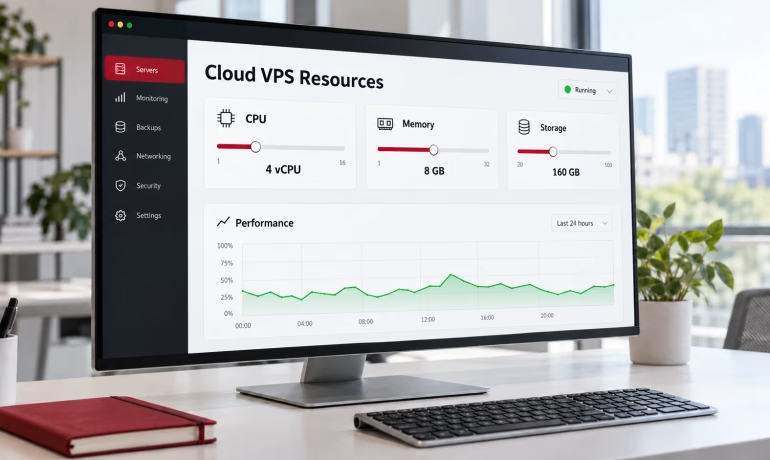
Cloud VPS Resource Scaling for Better Hosting Performance and Cost Control
As businesses grow, their websites and applications often require

Dedicated GPU Servers for AI Model Training, Inference, and High-Performance Workloads
Artificial intelligence is transforming how businesses develop software, analyze